Review Sites
Learn what review sites are supported, and how to create direct Google review links to guide your patients to leave you a review efficiently.
Supported Review Sites
To improve review rates and your online reputation, we always recommend that you start with Facebook and Google. These are the most common review sites and will have the most impact for your practice.
The following review sites are supported for review requests:
| Review Site | URL | Patient View |
|---|---|---|
| Angies List | https://www.angieslist.com |  |
| Better Business Bureau | https://www.bbb.org |  |
| Doctor.com | https://www.doctor.com |  |
| https://www.facebook.com |  |
|
| https://search.google.com |  |
|
| Healthgrades | https://www.healthgrades.com |  |
| RateMDs | https://www.ratemds.com |  |
| RealSelf | https://www.realself.com |  |
| Vitals | https://www.vitals.com |  |
| YellowPages | https://www.yellowpages.com |  |
| ZocDoc | https://www.zocdoc.com |  |
To direct patients to any of the above review sites, visit the listed url and search for your practice. Take that URL and enter it on the Add Review Sites section in your dashboard
For better results, we recommend using no more than 3 review sites.
Creating Google Review Site Link
To take patients directly to your Google My Business Page to leave a review, we need to get your Google Place ID.
Obtaining Google Place ID
- Visit Google Places API
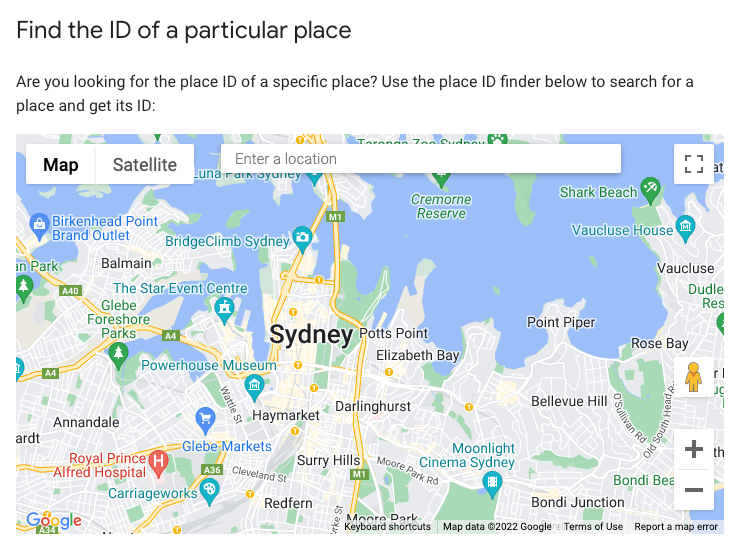
- Search for your business information in the Enter a location search bar located on the map in the middle of the page.
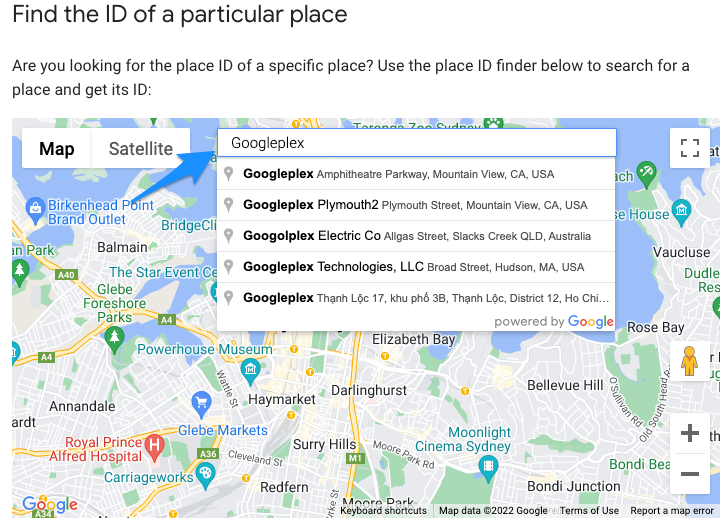
- Select your business with your associated address
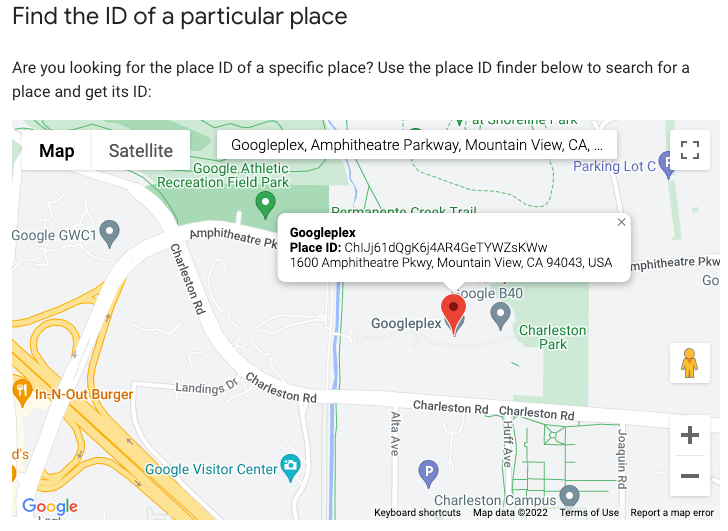
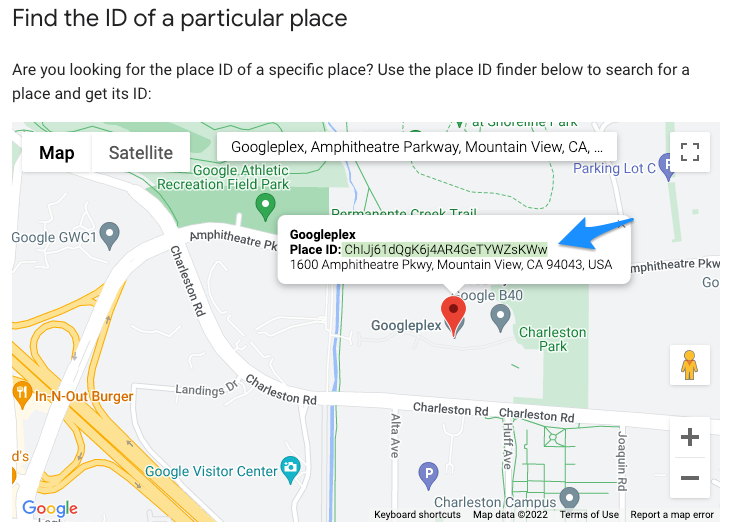
- Copy your PlaceID listed just beneath your business name
Creating Direct Review Link
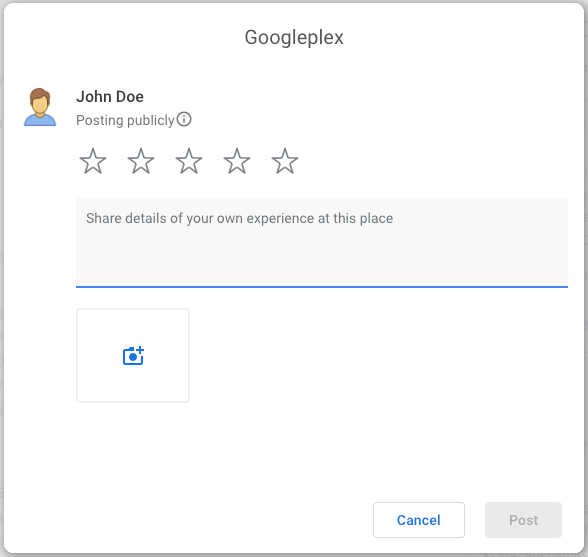
To lead your patients directly to the leave a review portion of your google business page, the link needs to be in the format https://search.google.com/local/writereview?placeid=<place_id>
Replace <place_id> with the Place ID we just obtained for your business
Our example review link would be:
https://search.google.com/local/writereview?placeid=ChIJj61dQgK6j4AR4GeTYWZsKWw
which takes users directly to the following page
Ensure that your link works, then enter the URL on the Review Sites page in your dashboard